Difficulty: ❄ ❄ ❄ ❄ ❄
Help find who has been left out of the naughty AND nice list this Christmas. Please speak with Eve Snowshoes for more information.
Hints
Mobile Analysis Easy - Tools
From: Eve Snowshoes
Try using apktool or jadx
Mobile Analysis Easy - Missing
From: Eve Snowshoes
Maybe look for what names are included and work back from that?
Mobile Analysis Hard - Format
From: Eve Snowshoes
So yeah, have you heard about this new Android app format? Want to convert it to an APK file?
Mobile Analysis Hard - Encryption and Obfuscation
From: Eve Snowshoes
Obfuscated and encrypted? Hmph. Shame you can’t just run strings on the file.
Silver trophy
For the silver trophy, I opened the SantaSwipe.apk with jadx-gui. Using that we can see the main activity (com.northpole.santaswipe.MainActivity) is using a DB helper to obtain a SQLite DB:
1 | protected void onCreate(Bundle savedInstanceState) { |
Also in the method getNormalList() the SQL query looks off as it is excluding “Ellie”:
1 | public final void getNormalList() { |
With Ellie actually being inserted in the DB by the DB Helper (com.northpole.santaswipe.DatabaseHelper), this is problably the kid being left out:
1 | public void onCreate(SQLiteDatabase db) { |
And indeed “Ellie” was the solution for the Silver Trophy.
Gold Trophy
I downloaded SantaSwipeSecure.aab and followed the Mobile Analysis Hard - Format hint to convert it from the aab format back to an apk. Noticing it wasn’t being executed in the emulator, I went for the signed apk:
1 | (act2-Mobile Analysis) thedead@maccos SantaSwipeSecure % keytool -keystore SantaSwipeSecure.jks -genkey -alias SantaSwipeSecure -keyalg RSA |
Finally I was able to run universal.apk in an emulator and observe its contents with jadx-gui. As per the hints, it turned out to be encrypted, therefore exploring the files used in the Silver trophy only led to an encrypted string and to the decryptData method in com.northpole.santaswipe.DatabaseHelper:
1 | public void onCreate(SQLiteDatabase db) { |
1 | private final String decryptData(String encryptedData) { |
At that point I resorted to frida and RMS aiming to hook the decryptData method and decrypt the string:
1 | thedead@maccos act2-Mobile Analysis % adb -s 127.0.0.1:6555 push frida-server-16.5.7-android-arm64 /tmp/frida-server |
I set up everything in RMS: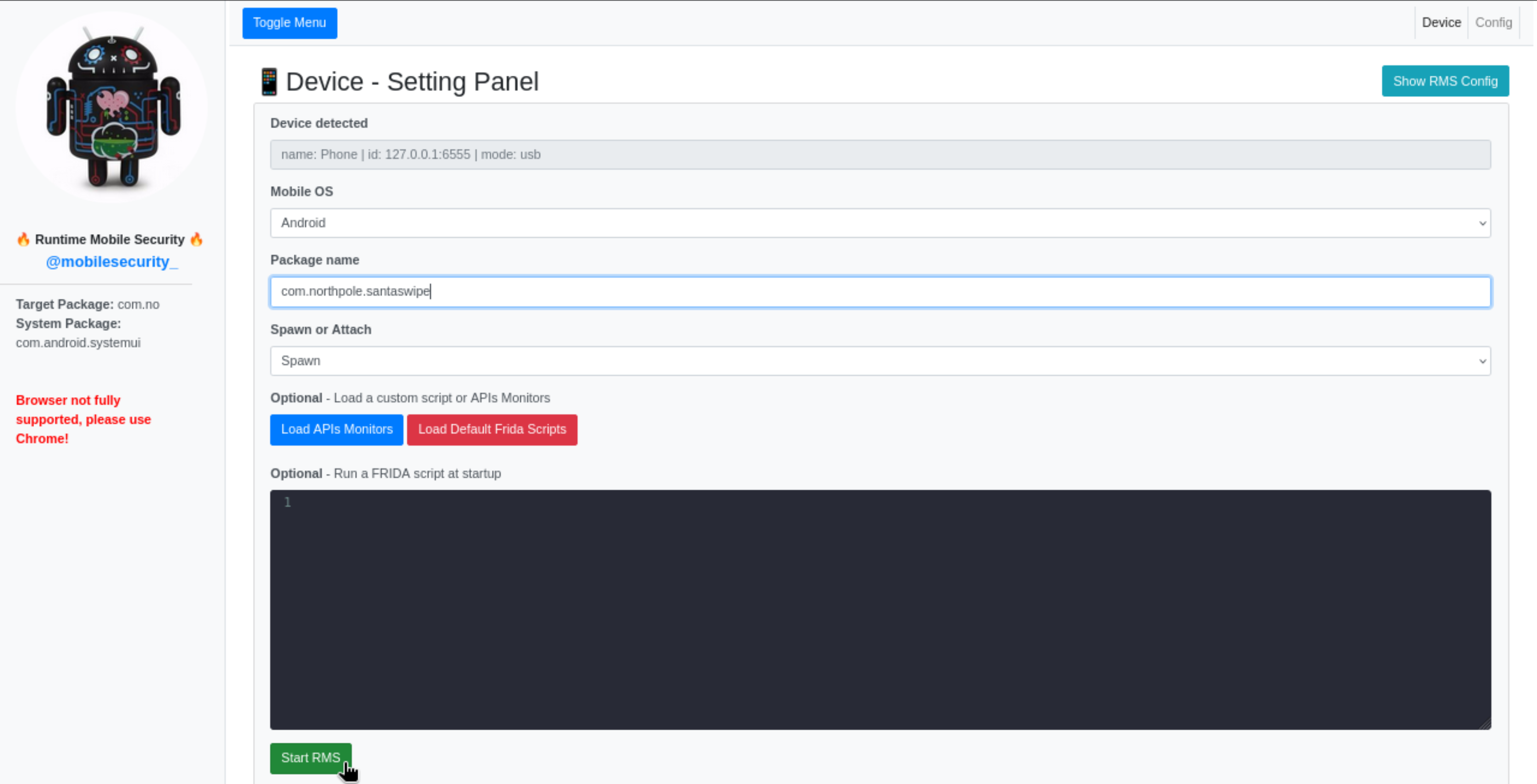
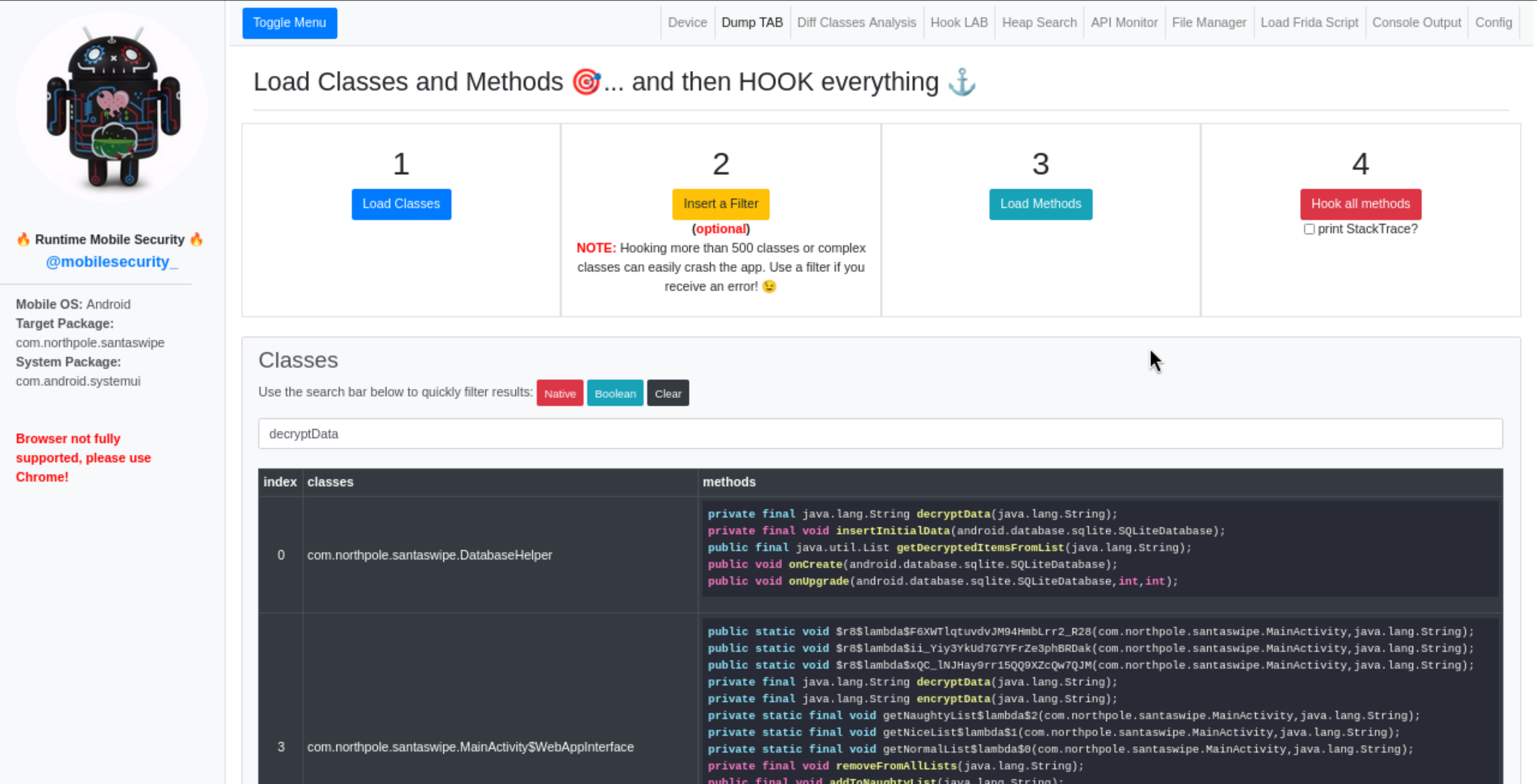
I then used Heap Search to manually call the decryptData method with the encrypted string seen above: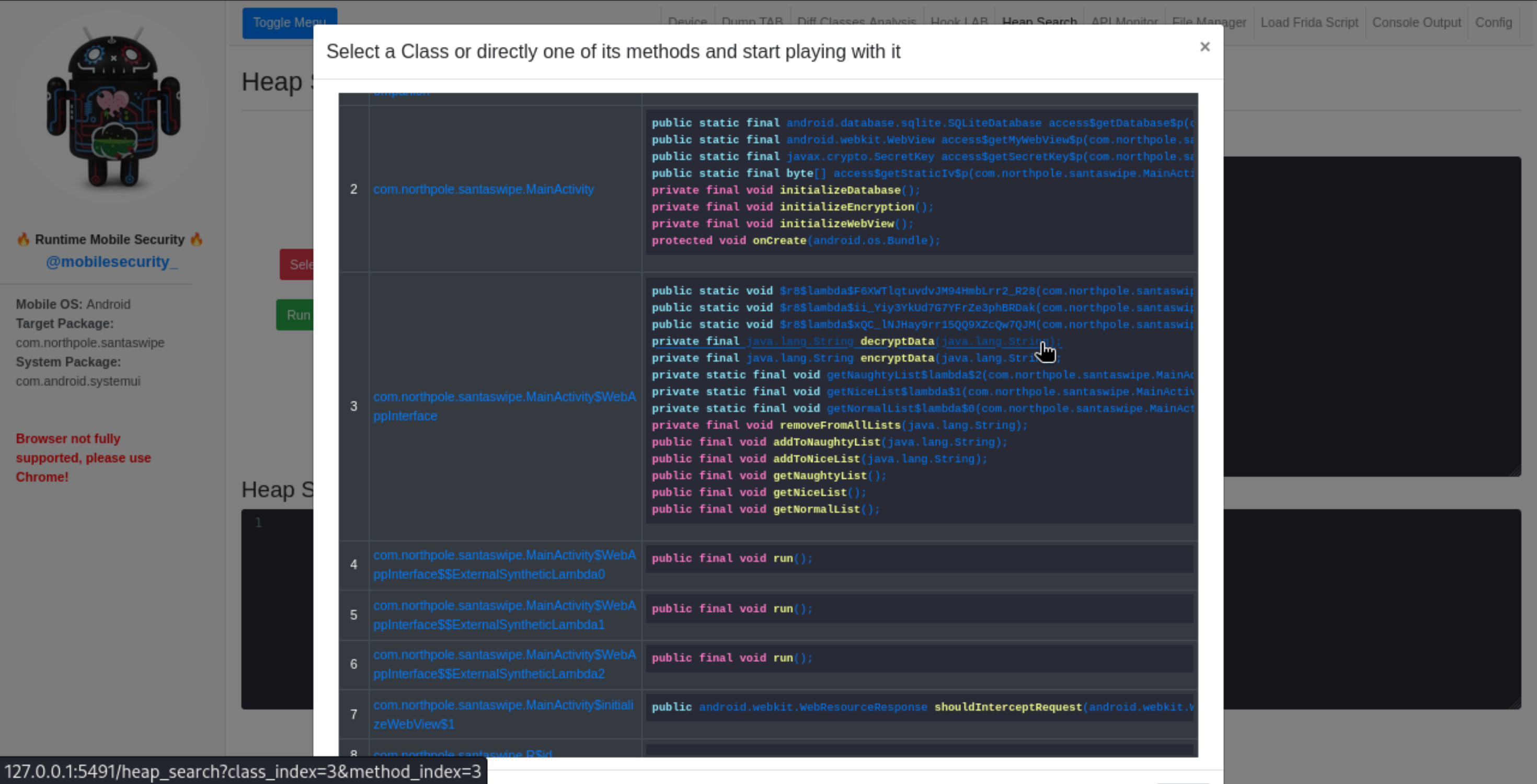
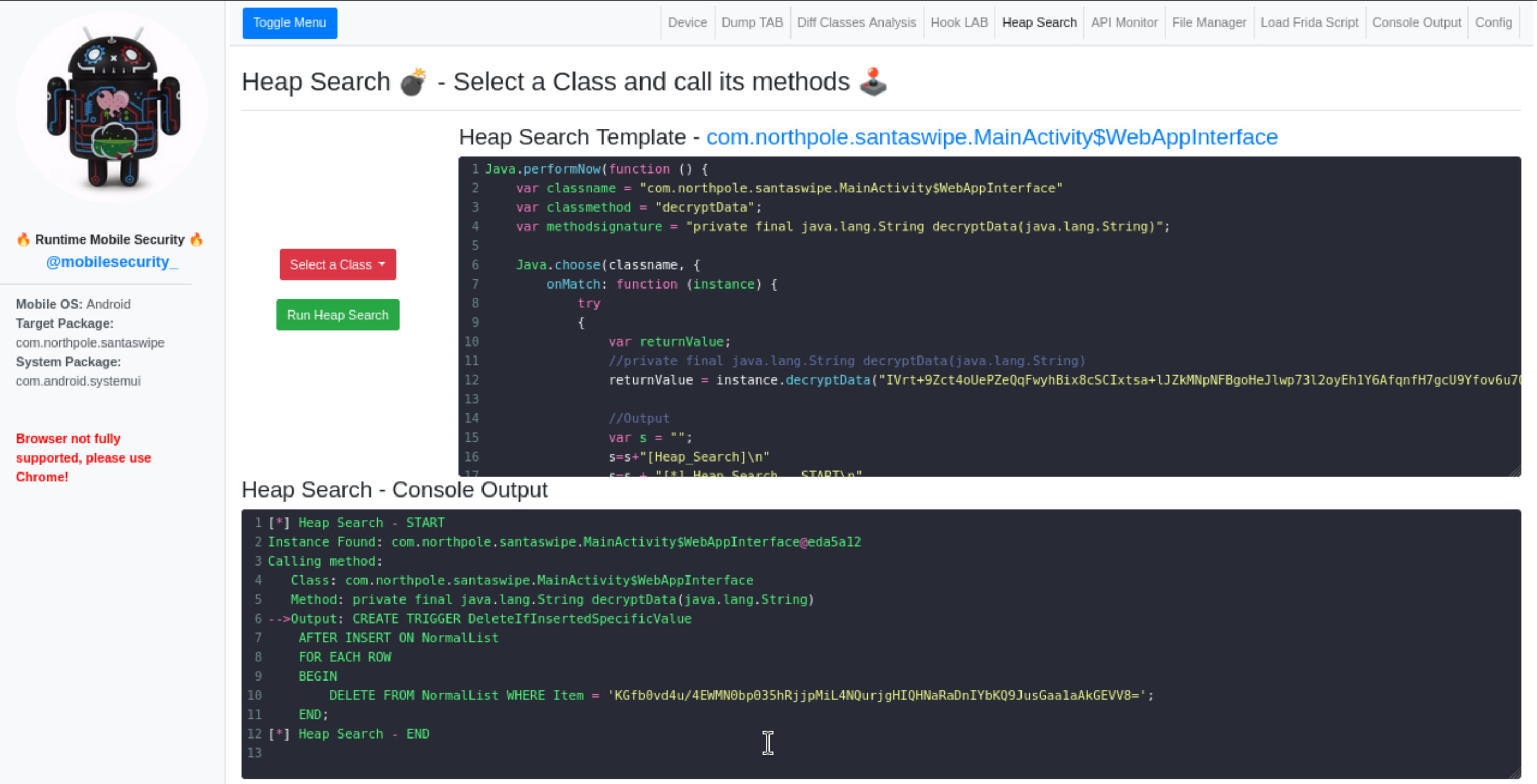
Decrypting the content resulted in the following SQL:
1 | CREATE TRIGGER DeleteIfInsertedSpecificValue |
Finally, calling the decryptData method on this last string returned the answer to the challenge: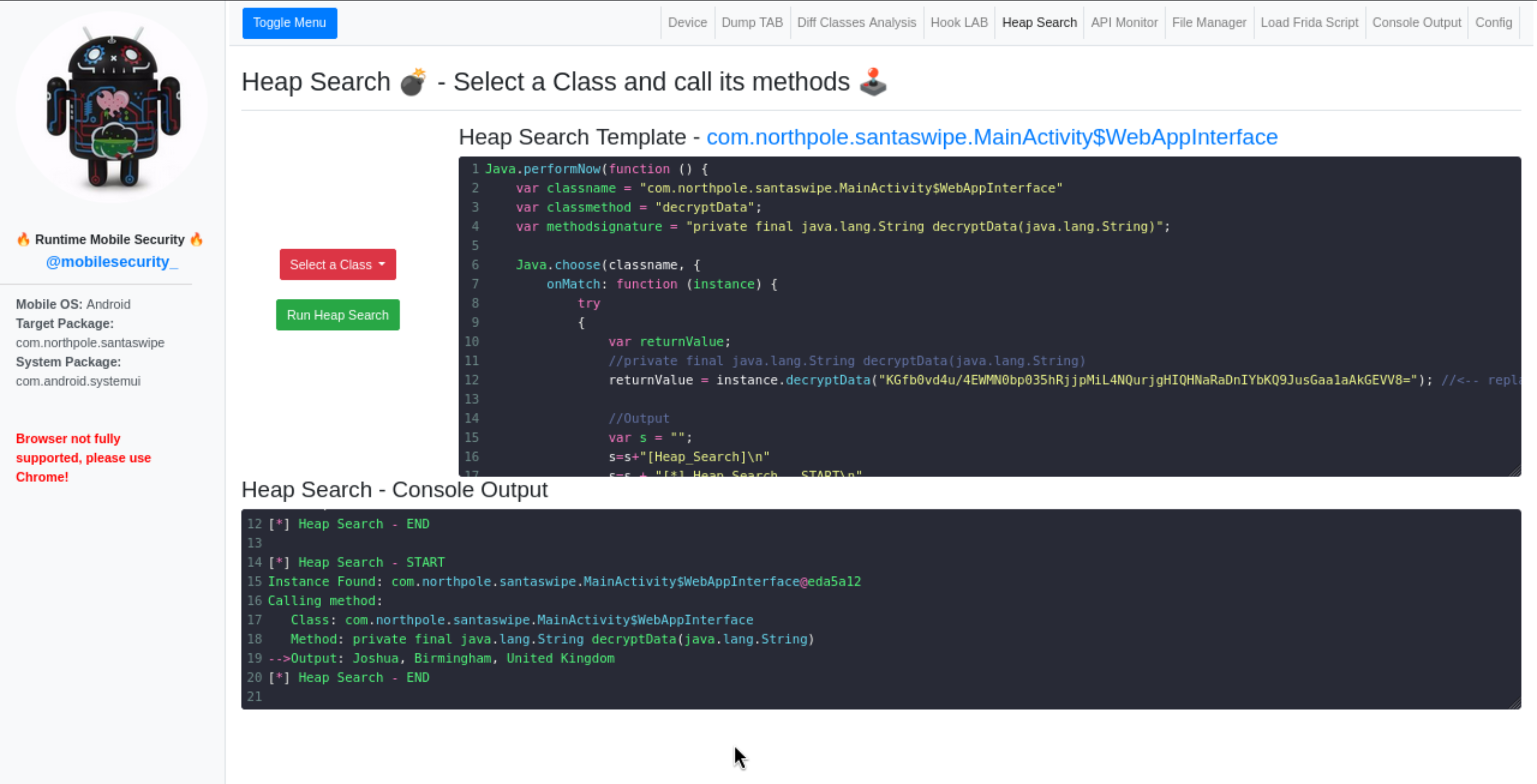
Showing that the kid being left out was poor Joshua, Birmingham, United Kingdom, with the flag being just the name Joshua.
Special Thanks
Thanks to @m0bilesecurity
I am not an expert on mobile security tools and he had the patience to help me through the real challenge which was the setup of the environment 😊
Once setup, his RMS basically made everything very easy.
Showcasing RMS
Just a quick video to showcase how RMS allowed all of this to be done in less than a minute :)
Everything that went wrong
I don’t know if it will be useful for others, but it’ll defintely be for me, so I better keep here notes on what went wrong during the process so if I’ll ever need it again I’ll save myself some headache.
Android Studio Emulator
The first place I looked for an emulator was Android Studio, but I was not able to setup frida on it.
I had to root the emulated device using rootAVD and succeded it follwing these instructions.
Despite the rooting, I still had the error adbd cannot run as root in production builds but I was able to get root once in the shell with su.
Frida instructions for Android accounts for this issue but I still got the following error when running frida-server:
I didn’t look like the only one with this problem but still I wasn’t able to solve it.
Genymotion
Once I gave up on the Android Studio Emulator, I went for Genymotion, as @m0bilesecurity suggested it should provide pre-rooted devices. It took me some clicking around to actually find such “free” pre-rooted device: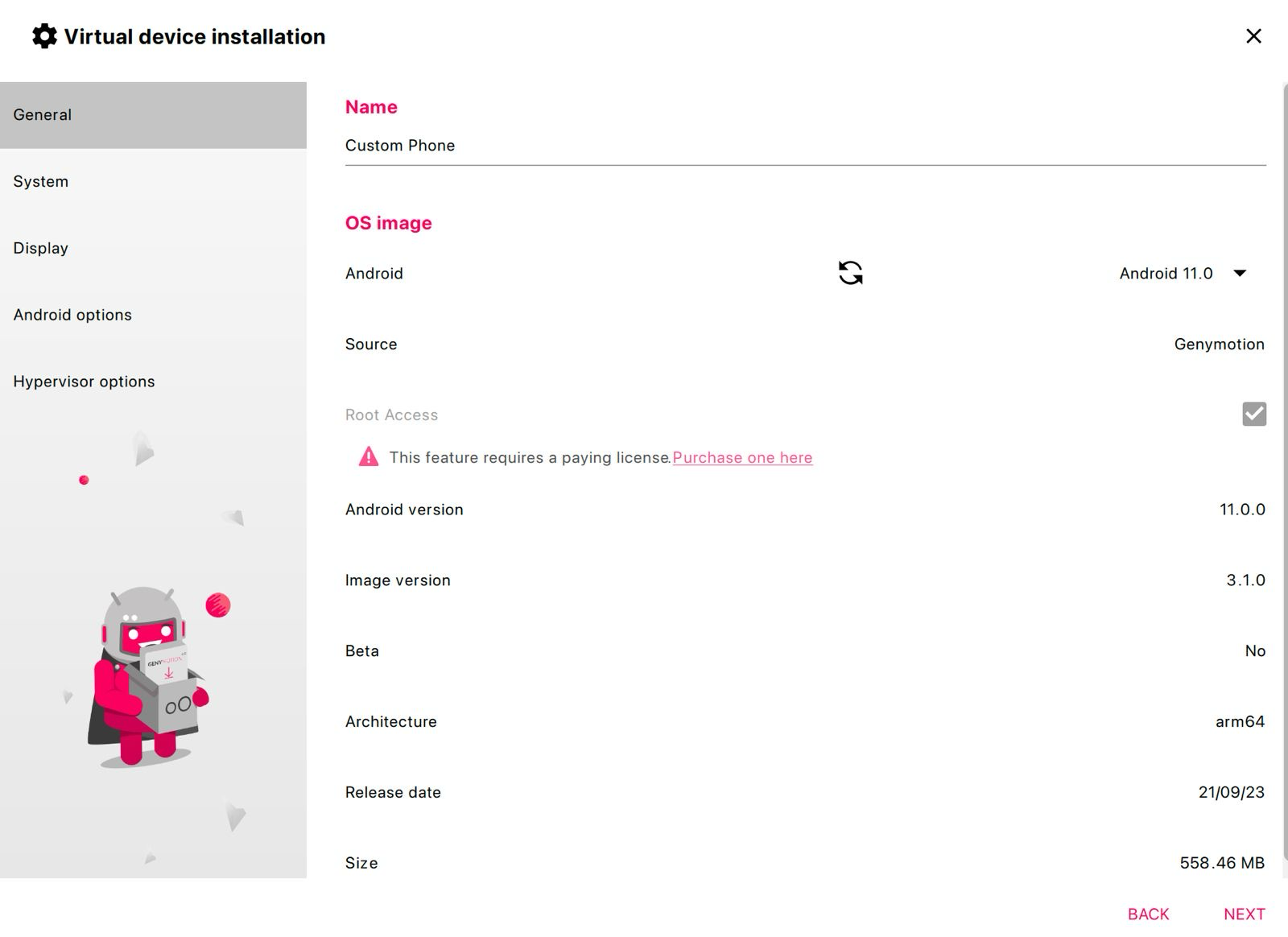
node version
When trying to install RMS I encountered the error No prebuilt binary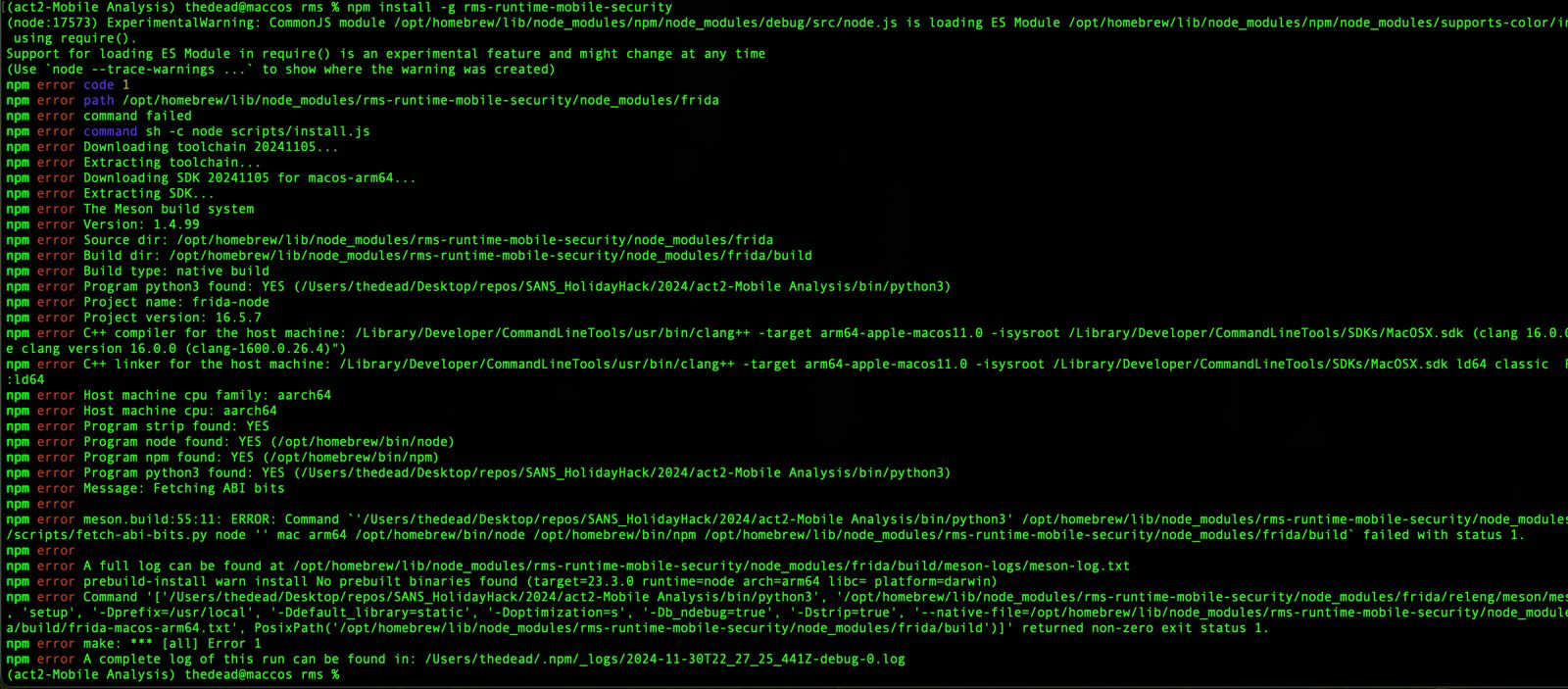
As pointed out by @m0bilesecurity that was an issue with my node version as frida does not have the prebuilt binaries for node.js v23.3.0.
I resorted to nvm to fix the version in the working folder to v22.11.0. Still I obviously got another error: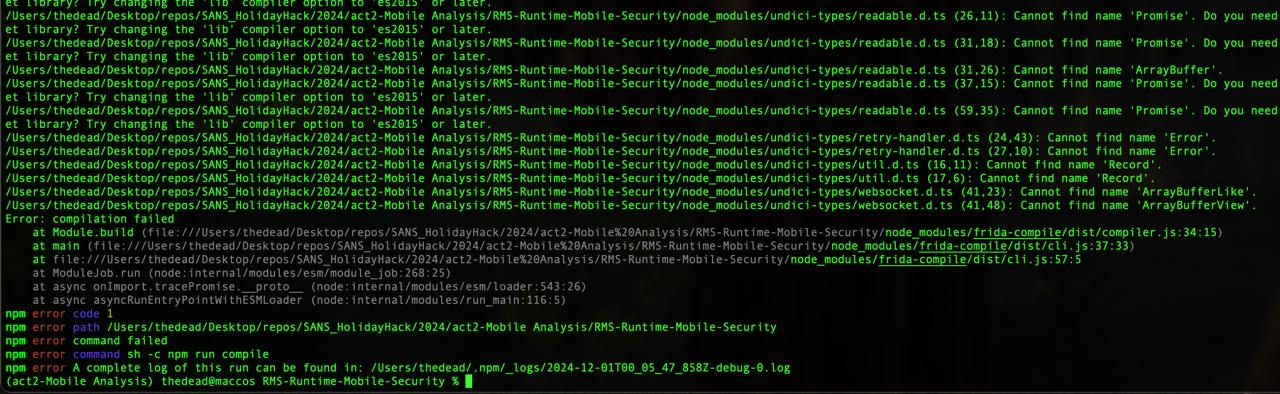
Not sure what the issue was as when I ran it again the day after it worked first shot: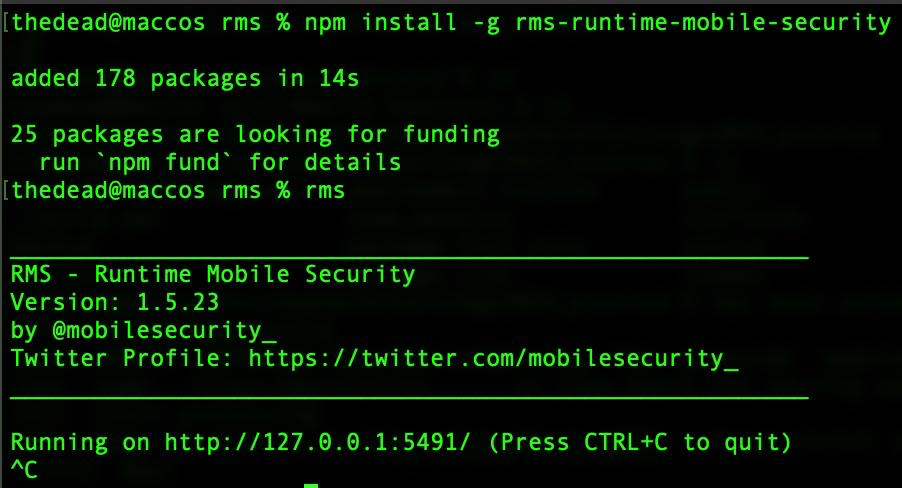
arm64
Giving up on the local installation I restorted to a kali vm that already had node v20.18.0 and the installation there was as easy as:
1 | pip3 install frida-tools --break-system-packages |
On the other hand I am using a Macbook with Apple M3 cpu (or at least I’m trying to 😊) which is an arm64, thus my kali is a linux arm64 as well. Not that I crazily searched for it, but I didn’t find a version for such OS & architecture for Android Studio and Genymotion.
Port forwarding adb
The obvious idea was to run the emulated device and the adb server on the host, while using adb, frida and rms in the VM. To allow this setup to work I just had to forward the port of the adb using ssh:
1 | thedead@maccos RMS-Runtime-Mobile-Security % ssh -R 5037:localhost:5037 root@192.168.180.129 |